Level 2 Certificate in Microsoft Office

Level 2 Certificate in Microsoft Office Overview Develop essential digital and workplace skills with the Level 2 Certificate in Microsoft …

Level 2 Certificate in Microsoft Office

microsoft office 365

Original price was: $430.65.Current price is: $26.99.

Save Up To 92% - Offer Ends In

TAKE THIS COURSE

Or TAKE ALL COURSES FOR £49
🔥 14 Units Sold in Last 07 Hours
  • newClaender 1 Year Access
  • students 186 Students
  • course_duration 2 days, 19 hours
img
Get access to 3000+ courses including this for only £49. Get Now

Level 2 Certificate in Microsoft Office Overview

Develop essential digital and workplace skills with the Level 2 Certificate in Microsoft Office. This comprehensive online Microsoft Office course is designed to help you gain practical knowledge and confidence in using the most widely used business productivity applications, including Microsoft Word, Excel, PowerPoint, Outlook, and other core Office tools.

Whether you are starting your career, returning to work, seeking promotion opportunities, or looking to improve your computer skills, this Microsoft Office Level 2 Certificate provides industry-relevant training aligned with modern workplace requirements.

As employers increasingly value strong digital literacy and office administration skills, this course prepares you to confidently create professional documents, manage spreadsheets, design presentations, organise emails, and improve workplace productivity. You will learn practical techniques that can be applied across various industries, including business, administration, education, healthcare, retail, and finance.

  • › Last Audited and Updated: 29th July 2026

Throughout the course, you will learn how to:

  • Create, edit, and format professional documents using Microsoft Word
  • Organise, analyse, and manage data using Microsoft Excel
  • Design engaging presentations with Microsoft PowerPoint
  • Manage emails, calendars, and communication using Microsoft Outlook
  • Improve workplace productivity using Microsoft Office applications
  • Apply digital skills in office, administrative, and business environments
  • Build confidence in using essential computer software for professional tasks

This online Microsoft Office Certificate is suitable for beginners and professionals who want to improve their computer skills, workplace efficiency, and career opportunities.

Learning Outcomes

Upon successful completion of this course, learners will be able to:

  • Understand the core functions of Microsoft Office applications.
  • Create professional business documents using Microsoft Word.
  • Use Microsoft Excel to organise, calculate, and analyse data efficiently.
  • Develop visually appealing presentations using Microsoft PowerPoint.
  • Manage emails, appointments, and tasks using Microsoft Outlook.
  • Improve productivity through effective use of Office software tools.
  • Apply digital literacy skills in office and business environments.
  • Gain a recognised CPD-accredited qualification to strengthen employability.
  • Develop confidence in handling everyday workplace computer tasks.
  • Demonstrate practical Microsoft Office skills required by employers.

Who is This Course For?

This Level 2 Certificate in Microsoft Office is ideal for:

  • Aspiring office administrators and administrative assistants
  • Job seekers looking to improve employability skills
  • Receptionists and customer service professionals
  • Business support and office staff
  • Students preparing for the workplace
  • Small business owners and entrepreneurs
  • Anyone wishing to improve computer and digital literacy skills

Why Enrol in This Microsoft Office Course?

This Microsoft Office Level 2 Certificate is designed to help learners develop practical office software skills that are highly valued by employers across all sectors.

Benefits of this course:

  • CPD Accredited Microsoft Office Qualification
  • 100% Online & Self-Paced Learning
  • Instant Access to Course Materials
  • Comprehensive Microsoft Word, Excel & PowerPoint Training
  • Flexible Study from Any Device
  • Career-Focused Curriculum for Modern Workplaces

Career Opportunities

After completing this Microsoft Office Certificate, learners may pursue roles such as:

  • Office Administrator
  • Administrative Assistant
  • Receptionist
  • Data Entry Clerk
  • Customer Service Advisor
  • Office Support Assistant
  • Personal Assistant (PA)
  • Executive Assistant
  • Business Support Officer

Eligibility Requirements

Applicants should possess basic computer literacy and an interest in developing workplace technology skills. This course welcomes learners from all backgrounds who wish to improve their productivity and employability through Microsoft Office proficiency.

Entry Requirements

Age Requirement: Applicants must be aged 16 or above.

Academic Background: There are no formal educational prerequisites.

Language Proficiency: A good command of English is recommended to understand course materials effectively.

Computer Skills: Basic computer and internet navigation skills will be beneficial.

Why Choose Us

  • Affordable, engaging & high-quality e-learning study materials
  • Tutorial videos/materials from industry-leading experts
  • Study in a user-friendly, advanced online learning platform
  • Efficient assessment systems with instant results
  • UK & internationally recognised accredited training
  • Access to course content on mobile, tablet or desktop from anywhere, anytime
  • Career development and progression opportunities
  • 24/7 student support via email

Certification

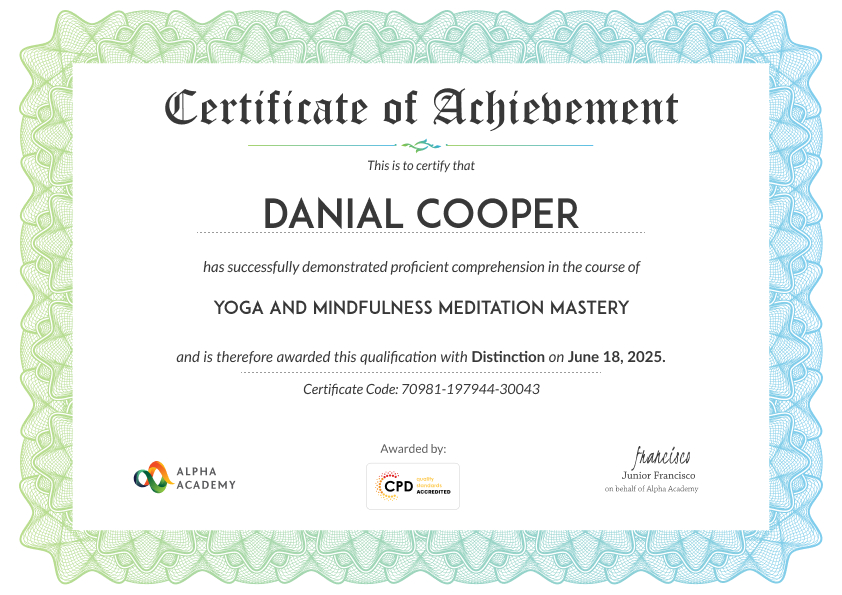
At the end of the course, you will be required to sit an online multiple-choice test. After successfully completing the final test, you will get a CPD-accredited Certificate of Achievement. The PDF Certificate is priced at £9.99 and will be emailed to you immediately. Also, a printed hardcopy certificate can be purchased for £17.99 and will be sent to your address by post.
Reviews From Our learners

★★★★★
A useful course for anyone wanting to improve their computer skills for office work. It helped me create better documents, organise information, and prepare simple professional presentations.
Linford Bellamy
Office Assistant
★★★★★
This course made Microsoft Office much easier to use. I liked how it explained document formatting, spreadsheet basics, presentations, and productivity features step by step.
Amara Winslowe
Data Entry Assistant
★★★★★
Level 2 Certificate in Microsoft Office helped me improve my confidence using Word, Excel, PowerPoint, and other essential office tools. The course was clear, practical, and useful for everyday workplace tasks.
Cedric Haleworth
CAdmin Support Assistant

Frequently Asked Questions

A Microsoft Office course teaches you how to use Word, Excel, PowerPoint, Access, Outlook, and Publisher effectively. You’ll gain essential computer and administrative skills for personal, academic, or professional success in any workplace.

This course is ideal for students, office professionals, job seekers, and beginners who want to develop practical computer skills, improve productivity, and gain a recognized certification in Microsoft Office applications.

 You’ll learn document creation in Word, data analysis in Excel, professional presentations in PowerPoint, database management in Access, email organization in Outlook, and publication design in Publisher—building full digital competency across all Office tools.

 Microsoft Office is essential for creating documents, analyzing data, managing communication, and organizing information efficiently. Mastery of Office applications improves productivity and employability across business, education, and administrative roles.

Yes. Employers highly value Microsoft Office proficiency. Completing this course boosts your CV, improves your confidence with technology, and qualifies you for administrative, data entry, and office support positions.

Course Curriculum

Microsoft Word
Module One – Getting Started 00:30:00
Module Two – Opening 01:00:00
Module Three – Working with the Interface 01:00:00
Module Four – Your First Document 01:00:00
Module Five – Basic Editing Tasks 01:00:00
Module Six – Basic Formatting Tasks 01:00:00
Module Seven – Formatting Paragraphs 01:00:00
Module Eight – Advanced Formatting Tasks 01:00:00
Module Nine – Working with Styles 01:00:00
Module Ten – Formatting the Page 01:00:00
Module Eleven – Sharing Your Document 01:00:00
Module Twelve – Wrapping Up 00:30:00
Activities- Microsoft Word for Beginners 00:00:00
Microsoft Excel
Module One – Getting Started 00:30:00
Module Two – Opening Excel 01:00:00
Module Three – Working with the Interface 01:00:00
Module Four – Your First Worksheet 01:00:00
Module Five – Viewing Excel Data 01:00:00
Module Six – Building Formulas 01:00:00
Module Seven – Using Excel Functions 01:00:00
Module Eight – Using Quick Analysis 01:00:00
Module Nine – Formatting Your Data 01:00:00
Module Ten – Using Styles, Themes, and Effects 01:00:00
Module Eleven – Printing and Sharing Your Workbook 01:00:00
Module Twelve – Wrapping Up 01:00:00
Activities – Microsoft Excel for Beginner Learners 00:00:00
Microsoft PowerPoint
Module One – Getting Started 00:30:00
Module Two – Opening PowerPoint 01:00:00
Module Three – Working with the Interface 01:00:00
Module Four – Your First Presentation 01:00:00
Module Five – Working with Text 01:00:00
Module Six – Formatting Text and Paragraphs 01:00:00
Module Seven – Adding Pictures 01:00:00
Module Eight – Advanced Formatting Tasks 01:00:00
Module Nine – Working with Transitions and Animations 01:00:00
Module Ten – Setting Up Your Slide Show 01:00:00
Module Eleven – Showtime! 01:00:00
Module Twelve – Wrapping Up 00:30:00
Activities-Microsoft PowerPoint for Beginners 00:00:00
Microsoft Access
Module One – Getting Started 00:30:00
Module Two – Opening and Closing Access 01:00:00
Module Three – An Introduction to Databases 01:00:00
Module Four – Sharing Data Using Apps 01:00:00
Module Five – Working in Your App 01:00:00
Module Six – An Introduction to Desktop Databases 01:00:00
Module Seven – Performing Basic Table Tasks 01:00:00
Module Eight – Working with Fields 01:00:00
Module Nine – Working with Table Relationships 01:00:00
Module Ten – An Introduction to Queries, Forms, and Reports 01:00:00
Module Eleven – Protecting Your Data 01:00:00
Module Twelve – Wrapping Up 00:30:00
Activities – Microsoft Access Beginners Level 00:00:00
Microsoft Outlook
Module One – Getting Started 00:30:00
Module Two – Opening and Closing Outlook 01:00:00
Module Three – Understanding the Interface 01:00:00
Module Four – Working with the Message List and the Reading Pane 01:00:00
Module Five – Using Message List Commands 01:00:00
Module Six – Creating a New Email 01:00:00
Module Seven – Managing Email 01:00:00
Module Eight – Searching for Items 01:00:00
Module Nine – An Introduction to the Calendar 01:00:00
Module Ten – An Introduction to Tasks 01:00:00
Module Eleven – An Introduction to Contact 01:00:00
Module Twelve – Wrapping Up 00:30:00
Activities – Microsoft Outlook for Beginners 00:00:00
Microsoft Publisher
Module One – Getting Started 00:30:00
Module Two – Opening Publisher 01:00:00
Module Three – Working with the Interface 01:00:00
Module Four – Your First Publication 01:00:00
Module Five – Working with Pictures 01:00:00
Module Six – Basic Editing Tasks 01:00:00
Module Seven – Formatting Fonts 01:00:00
Module Eight – Formatting Paragraphs 01:00:00
Module Nine – Working with Objects 01:00:00
Module Ten – Working with Pages 01:00:00
Module Eleven – Publishing Your Work 01:00:00
Module Twelve – Wrapping Up 00:30:00
Mock Exam
Mock Exam – Level 2 Certificate in Microsoft Office 00:30:00
Final Exam
Final Exam – Level 2 Certificate in Microsoft Office 00:30:00
Order Certificate
Order Certificate 00:00:00
offer

Offer Ends In

TAKE THIS COURSE

Level 2 Certificate in Microsoft Office

microsoft office 365

Original price was: $430.65.Current price is: $26.99.

Save Up To 92% - Offer Ends In

TAKE THIS COURSE

Or TAKE ALL COURSES FOR £49
🔥 14 Units Sold in Last 07 Hours
  • newClaender Access: 1 Year
  • students Students 186
  • course_duration Duration: 2 days, 19 hours

How Do Our Courses Work?

Purchase and payment

Secure your course with an easy one-time payment and get instant access.

Course access

Enjoy 1-year unlimited access to study at your own pace, anytime, anywhere.

Certificate

Complete the course and order your accredited certificate to showcase your achievement.

Continued support

Get 24/7 expert support to assist you throughout your learning journey.

How Do Our Courses Work?

Purchase and payment

Secure your course with an easy one-time payment and get instant access.

Course access

Enjoy 1-year unlimited access to study at your own pace, anytime, anywhere.

Certificate

Complete the course and order your accredited certificate to showcase your achievement.

Continued support

Get 24/7 expert support to assist you throughout your learning journey.

Learn Today. Lead Tomorrow. Alpha Academy equips you with real-world skills that employers demand and industries respect. From beginner to expert, explore 2800+ courses designed to get you hired, promoted, or started. Your next breakthrough is one click away.

Contact

For Business

Certificate validator

Payment methods possible

© ALPHA ACADEMY IS A PART OF ADAMS ACADEMY INC. LTD.

top
0
    0
    Your Cart
    Your cart is emptyReturn to Shop

    Summer Sale – Get 2500+ COURSES FOR Original price was: $606.15.Current price is: $66.15. / year

    ADD OFFER TO CART-

      Apply Coupon