TAKE
ALL
COURSES FOR £49
TAKE
ALL
COURSES FOR £49 1 Year Access
  36 Students
  10 hours, 52 minutes
Microsoft Excel Complete Course – Beginner, Intermediate, Advanced Course Overview
The Microsoft Excel Complete Course – Beginner, Intermediate, Advanced is designed for learners who want to build strong Excel skills for study, work, business, and everyday data tasks. This course starts from the basics and gradually moves into intermediate and advanced Excel tools, making it suitable for complete beginners as well as learners who already use Excel and want to improve.
Microsoft Excel is used in many UK workplaces for organising information, creating reports, managing budgets, analysing data, tracking records, and presenting figures clearly. Good Excel skills can help learners work faster, reduce errors, and complete office tasks with more confidence.
This course introduces learners to important Microsoft Excel 2019 features, including useful functions, improved charts, better visuals, PivotTable enhancements, and Power Pivot updates. Learners will also explore formulas, functions, tables, charts, PivotTables, data validation, macros, forecasting tools, and workbook protection.
The course is structured to help learners understand Excel step by step. At the beginner level, learners will become familiar with the Excel interface, basic workbooks, cell data, formatting, formulas, and page layout. At the intermediate level, learners will build stronger skills in functions, data sorting, filtering, charts, tables, and PivotTables. At the advanced level, learners will learn how to use more powerful Excel features such as lookup functions, external references, formula auditing, data validation, macros, scenarios, Goal Seek, and forecasting.
By completing this course, learners can develop practical Excel skills that are useful in administration, finance, business, data entry, reporting, project support, customer service, and many other office-based roles.
What You Will Learn
This course helps learners understand how to use Microsoft Excel for real workplace tasks. It focuses on practical skills that can be used for creating spreadsheets, managing data, preparing reports, analysing figures, and presenting information in a clear format.
Learners will study how to create and manage workbooks, enter and format data, use formulas and functions, sort and filter information, create charts, build PivotTables, protect spreadsheets, and use Excel tools for decision-making. The course also covers advanced features that can help learners save time and improve accuracy.
This training is suitable for learners who want to become more confident using Excel for office work, business tasks, study projects, financial records, data analysis, and reporting.
Learning Outcomes
After completing this course, learners will be able to:
- Understand the key features of Microsoft Excel 2019.
- Navigate the Excel interface with confidence.
- Create, save, edit, and manage Excel workbooks.
- Enter, organise, search, and replace spreadsheet data.
- Format cells, numbers, text, rows, columns, and worksheets.
- Create basic formulas for everyday calculations.
- Use Excel functions to complete common spreadsheet tasks.
- Apply logical, text, date, time, lookup, and database functions.
- Use conditional formatting to highlight important information.
- Sort and filter data to find useful information quickly.
- Create and modify Excel tables.
- Build charts and graphs to present data clearly.
- Create PivotTables and PivotCharts for data analysis.
- Use slicers and timelines to filter reports.
- Work with external references and 3-D references.
- Consolidate data from different sources.
- Trace formulas and check spreadsheets for errors.
- Apply data validation to control data entry.
- Protect worksheets and workbooks.
- Use macros to automate repeated tasks.
- Use sparklines, scenarios, Goal Seek, and forecasting tools.
- Apply Excel skills to workplace reports, budgets, records, and analysis tasks.
Who Is This Course For?
This Microsoft Excel Complete Course is suitable for anyone who wants to improve their spreadsheet skills. It is ideal for learners who want a simple, structured, and practical way to learn Excel from beginner to advanced level.
This course is suitable for:
- Complete beginners who want to learn Excel from the start.
- Office workers who use spreadsheets in daily tasks.
- Students who need Excel for assignments, projects, or research.
- Job seekers who want to improve their employability.
- Administrators who manage records, reports, and office data.
- Finance and accounts staff who work with numbers and reports.
- Business owners who need Excel for planning and budgeting.
- Managers who want to understand reports and data more clearly.
- Customer service staff who handle records and tracking sheets.
- Project support staff who manage timelines, tasks, and data.
- Professionals who want to work faster and more accurately.
- Anyone who wants to learn beginner, intermediate, and advanced Excel in one course.
Why Learn Microsoft Excel?
Microsoft Excel is one of the most useful digital skills for modern workplaces. Many employers expect staff to understand basic spreadsheet use, and stronger Excel skills can support better performance in many job roles.
Excel can be used for simple tasks such as lists, records, tables, and calculations. It can also be used for more advanced tasks such as data analysis, dashboards, reports, forecasts, and automated processes. This makes Excel useful for both entry-level learners and experienced professionals.
Learning Excel can help learners:
- Save time on daily office tasks.
- Organise information more clearly.
- Reduce mistakes in calculations.
- Create professional reports.
- Analyse data more effectively.
- Build confidence with numbers and spreadsheets.
- Support better workplace decision-making.
- Improve CV strength for office-based jobs.
Whether learners want to work in administration, finance, business, education, healthcare, retail, or customer service, Excel skills can be a valuable advantage.
Eligibility Requirements
There are no formal qualifications required to enrol in this course. Learners do not need previous Excel experience because the course starts with beginner-level topics and gradually moves into more advanced tools.
A basic understanding of computers will be helpful. Learners should also have access to Microsoft Excel 2019 or a newer version so they can practise the tools covered in the course.
This course is open to learners from all academic and professional backgrounds.
Entry Requirements
- Age Requirement: Learners should be 16 or older.
- Academic Background: No formal academic qualification is required.
- Language Proficiency: A good understanding of English is needed, as the course materials are delivered in English.
- Device Requirement: Learners need access to a computer, laptop, tablet, or smartphone with an internet connection.
- Study Commitment: Learners should be willing to practise regularly to improve their Excel skills.
Assessment Method
Learners may complete an online multiple-choice assessment at the end of the course. This assessment is designed to check their understanding of the course topics and help them review what they have learned.
The assessment allows learners to test their knowledge of Excel tools, formulas, functions, data management, charts, PivotTables, and advanced spreadsheet features.
Why Choose This Microsoft Excel Course?
This course is designed to make Excel learning simple, flexible, and practical. It covers beginner, intermediate, and advanced Excel skills in one complete training programme.
Key benefits include:
- Learn Microsoft Excel step by step.
- Suitable for beginners and existing Excel users.
- Covers basic, intermediate, and advanced Excel tools.
- Helps learners build practical workplace skills.
- Includes formulas, functions, charts, PivotTables, and macros.
- Supports data entry, reporting, analysis, and admin tasks.
- Learn at your own pace from anywhere.
- Study using a desktop, laptop, tablet, or mobile device.
- Improve productivity and confidence with spreadsheets.
- Useful for office, finance, business, admin, and data-related roles.
Career Opportunities
Completing this Microsoft Excel Complete Course – Beginner, Intermediate, Advanced can support a variety of roles across office administration, finance, business support, reporting, and data management. Excel skills are useful in many UK workplaces where staff need to organise information, prepare reports, manage records, and analyse data.
Potential career opportunities include:
› Administrative Assistant
Support office operations by managing records, updating spreadsheets, preparing documents, and organising data.
Average salary: £21,000 to £28,000
› Office Administrator
Maintain office records, handle data entry tasks, prepare reports, and support day-to-day business administration.
Average salary: £21,000 to £28,000
› Accounts Assistant
Use spreadsheets to support invoices, payments, purchase records, sales records, and financial reporting.
Average salary: £27,500 to £32,500
› Payroll Administrator
Use Excel to support payroll records, staff data, payment details, calculations, and reporting tasks.
Average salary: £22,000 to £35,000
› Data Entry Assistant
Enter, update, check, and organise information using spreadsheets and database systems.
Average salary: £21,000 to £28,000, based on related admin assistant salary guidance
› Project Administrator
Support project teams by tracking tasks, timelines, costs, documents, and progress reports using Excel.
Average salary: £22,151 to £35,085
› Reporting Assistant
Prepare regular reports, update spreadsheets, organise figures, and present information clearly for teams and managers.
Average salary: £21,000 to £28,000, based on related admin and reporting support roles
› Junior Data Analyst
Use Excel to clean data, create charts, summarise information, identify trends, and support business decisions.
Average salary: £28,000 to £65,000
Conclusion
The Microsoft Excel Complete Course – Beginner, Intermediate, Advanced is a practical training course for anyone who wants to build strong spreadsheet skills for work, study, or business. It starts with the basics of Excel and gradually introduces more advanced tools, making it suitable for learners at different skill levels.
Through this course, learners can develop confidence in creating workbooks, using formulas, formatting data, building charts, working with PivotTables, protecting spreadsheets, and using advanced Excel features such as macros, data validation, Goal Seek, and forecasting tools.
Microsoft Excel is a valuable skill in many UK workplaces. Whether learners want to improve their current job performance, apply for office-based roles, manage business records, or work with data more effectively, this course provides useful knowledge that can support career growth and everyday productivity.
Certification
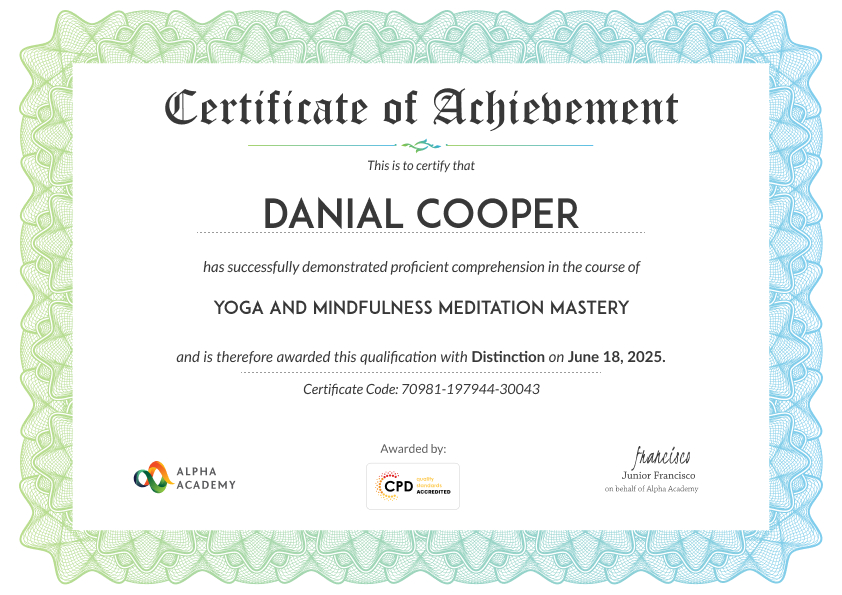
At the end of the course, you will be required to sit an online multiple-choice test. After successfully completing the final test, you will get a CPD-accredited Certificate of Achievement. The PDF Certificate is priced at £9.99 and will be emailed to you immediately. Also, a printed hardcopy certificate can be purchased for £17.99 and will be sent to your address by post.
Reviews From Our learners
Frequently Asked Questions
Yes, this course is suitable for complete beginners. It starts with the basic features of Microsoft Excel, including the Excel interface, workbooks, worksheets, cell data, simple formulas, formatting, and page setup. Learners can then move step by step into intermediate and advanced Excel topics.
This course covers beginner, intermediate, and advanced Excel. Learners will study basic spreadsheet tasks, formulas, functions, charts, tables, PivotTables, data validation, lookup functions, macros, scenarios, Goal Seek, and forecasting tools.
No previous Excel experience is required. The course is designed for learners from all backgrounds. Basic computer skills will be helpful, but the lessons are structured in a simple way so learners can follow the course easily.
This course is useful for students, job seekers, office workers, administrators, finance staff, business owners, managers, data entry staff, and anyone who works with spreadsheets. Excel skills are helpful in many sectors, including business, education, healthcare, retail, finance, and administration.
Strong Excel skills can improve your CV and support many office-based roles. After completing this course, learners may be better prepared for roles such as Administrative Assistant, Office Administrator, Accounts Assistant, Payroll Administrator, Project Administrator, Reporting Assistant, or Junior Data Analyst.