TAKE
ALL
COURSES FOR £49
TAKE
ALL
COURSES FOR £49 1 Year Access
  67 Students
  13 hours, 26 minutes
Build a successful career in IT support and computer repair with the Specialist in Computer Maintenance course. This comprehensive online computer maintenance training programme is designed to equip learners with the practical knowledge and technical skills needed to diagnose, maintain, troubleshoot, and repair computer systems in both personal and professional environments.
Whether you are looking to start a career in IT, enhance your technical skills, or gain confidence in maintaining computer systems, this course provides industry-relevant training covering computer hardware, software, networking fundamentals, system security, and troubleshooting techniques.
As businesses and individuals increasingly rely on technology, skilled computer maintenance specialists remain in high demand across various industries. This course prepares you to confidently identify technical issues, perform routine maintenance, optimise system performance, and support users effectively.
Throughout the course, you will learn how to:
- Understand computer hardware components and their functions
- Install, configure, and maintain operating systems
- Diagnose and troubleshoot hardware and software problems
- Perform preventive maintenance to improve system performance
- Understand networking basics and connectivity troubleshooting
- Protect systems against malware, viruses, and cyber threats
- Upgrade and optimise computer systems efficiently
- Develop practical skills for IT support and technical maintenance roles
This online Specialist in Computer Maintenance course is suitable for beginners and aspiring IT professionals who want to build technical expertise and improve their career prospects in the technology sector.
Bonus Features Included:
- Free Course: Introduction to IT Support
- Free Course: Computer Networking Fundamentals
› Last Audited and Updated: 18th April 2026
Learning Outcomes
Upon successful completion of this course, learners will be able to:
- Understand the architecture and components of modern computer systems
- Install, configure, and maintain operating systems and applications
- Diagnose common hardware and software issues effectively
- Apply troubleshooting techniques to resolve technical problems
- Perform routine computer maintenance and performance optimisation
- Understand basic networking concepts and connectivity issues
- Implement cybersecurity best practices for system protection
- Support users with technical guidance and IT assistance
- Improve system reliability through preventive maintenance procedures
- Gain a recognised CPD-accredited qualification to strengthen career opportunities in IT support
Who is This Course For
This Specialist in Computer Maintenance course is ideal for:
- Aspiring IT support technicians
- Computer repair and maintenance enthusiasts
- Help desk and technical support staff
- Students interested in information technology careers
- Small business owners managing their own IT systems
- Individuals seeking practical computer troubleshooting skills
- Anyone looking to start a career in computer maintenance and support
Why Enrol in This Specialist in Computer Maintenance Course?
This course is designed to provide learners with practical technical knowledge and troubleshooting skills that are highly valued across modern workplaces.
Benefits of this course:
- CPD Accredited Qualification
- 100% Online & Self-Paced Learning
- Instant Access to Course Materials
- Comprehensive Computer Maintenance Training
- Flexible Study from Any Device
- Career-Focused IT Support Curriculum
- Practical Hardware & Software Troubleshooting Skills
Career Opportunities
After completing this course, learners may pursue roles such as:
- Computer Maintenance Technician
- IT Support Technician
- Help Desk Support Specialist
- Technical Support Assistant
- Desktop Support Technician
- Computer Repair Technician
- IT Service Desk Analyst
- Junior Systems Support Officer
Eligibility Requirements
Applicants should possess basic computer literacy and an interest in information technology. A passion for problem-solving and technical troubleshooting will help learners succeed in this field.
Entry Requirements
Age Requirement: Applicants must be aged 16 or above.
Academic Background: No formal qualifications are required.
Language Proficiency: A good command of English is recommended.
Technical Skills: Basic computer usage knowledge is beneficial but not essential.
Why Choose Us
- Affordable, engaging & high-quality e-learning study materials
- Tutorial videos/materials from industry-leading experts
- Study in a user-friendly, advanced online learning platform
- Efficient assessment systems with instant results
- UK & internationally recognised accredited qualification
- Access course content on mobile, tablet or desktop
- Career advancement opportunities
- 24/7 student support via email
Certification
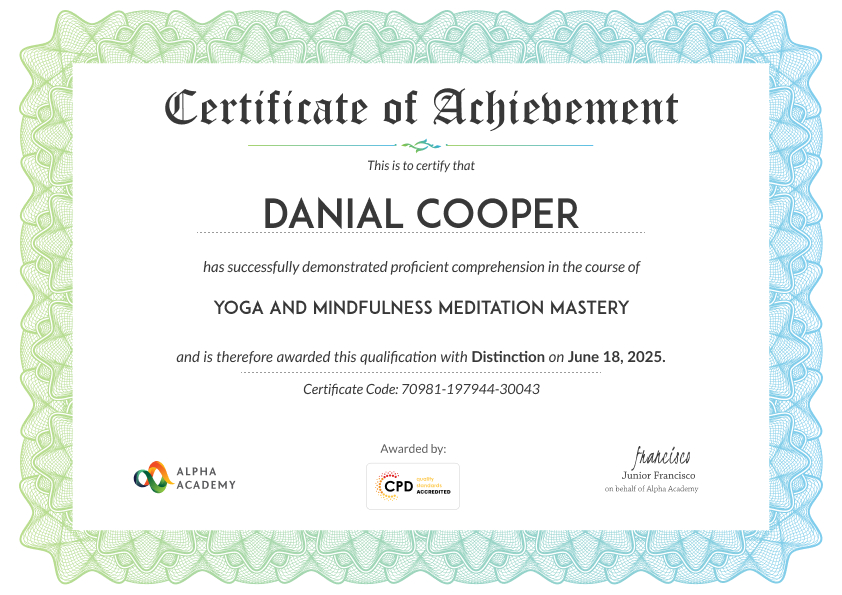
At the end of the course, you will be required to sit an online multiple-choice test. After successfully completing the final test, you will get a CPD-accredited Certificate of Achievement. The PDF Certificate is priced at £9.99 and will be emailed to you immediately. Also, a printed hardcopy certificate can be purchased for £17.99 and will be sent to your address by post.
Reviews From Our learners
Frequently Asked Questions
This course teaches PC hardware setup, operating system installation, software management, networking, security, troubleshooting, and cloud computing. Learners gain practical skills to maintain, repair, and optimize computers for personal or professional use.
Troubleshooting involves diagnosing hardware and software issues, checking system logs, testing components, updating drivers, scanning for malware, and applying step-by-step solutions to restore optimal PC performance efficiently and safely.
Key software includes antivirus programs, system optimizers, backup tools, disk cleaners, driver updaters, and virtualization tools. These help maintain system security, efficiency, and reliability while protecting data and preventing performance issues.
Virtualization allows multiple virtual systems on one computer, reducing hardware costs. Cloud computing provides remote storage, software access, and backup solutions, enhancing maintenance efficiency, scalability, and disaster recovery capabilities.
Upgrade when your PC experiences slow performance, insufficient memory, outdated hardware, or software incompatibility. Upgrading CPU, RAM, storage, or graphics can improve speed, functionality, and overall computing experience.