
 TAKE
ALL
COURSES FOR £49
TAKE
ALL
COURSES FOR £49 1 Year Access
  6 Students
  2 hours, 11 minutes
Microsoft Excel: Datasets Comparison with VBA Tool Overview
The Microsoft Excel: Datasets Comparison with VBA Tool course is an advanced online program designed to teach learners how to efficiently compare, analyse, and manage datasets using Microsoft Excel with the power of VBA (Visual Basic for Applications). This course focuses on automating data comparison tasks, identifying discrepancies, consolidating data, and building Excel macros for complex workflows.
Learners will gain practical skills to streamline data handling, improve accuracy, and save time in tasks involving large datasets. This course is ideal for data analysts, accountants, office professionals, finance managers, and students looking to enhance Excel proficiency for professional applications. By the end of the course, learners will be confident in applying VBA-based solutions to automate dataset comparisons and improve overall productivity.
- › Last Audited and Updated: 29th July 2026
Throughout the course, you will learn how to:
- Use VBA in Excel to automate data comparison processes
- Create macros to streamline repetitive data tasks
- Compare large datasets efficiently to identify discrepancies
- Consolidate and merge multiple data sources
- Analyse and summarise dataset differences
- Build dynamic reports using Excel formulas and VBA scripts
- Apply advanced Excel techniques for data management and reporting
- Troubleshoot common errors and optimise VBA workflows
Learning Outcomes
- Understand the basics of VBA programming in Excel
- Create automated solutions for dataset comparison
- Use macros to perform repetitive tasks efficiently
- Identify and resolve discrepancies between datasets
- Consolidate multiple data sources into organised reports
- Apply Excel formulas and functions in combination with VBA
- Build advanced reports and dashboards for analysis
- Gain practical experience with real-world Excel scenarios
Who is This Course For
- Data analysts seeking advanced Excel and VBA skills
- Finance professionals handling large datasets
- Office administrators and support staff managing Excel records
- Students and learners looking to enhance data handling proficiency
- Professionals wanting to automate and optimise Excel workflows
- Anyone interested in using Excel VBA for dataset management
Why Enrol in This Microsoft Excel: Datasets Comparison with VBA Tool Course?
- CPD Accredited Advanced Excel Training
- 100% Online and Self-Paced Learning
- Covers Excel VBA fundamentals and advanced dataset comparison techniques
- Includes practical examples and real-world projects
- Beginner-friendly introduction to VBA with progression to advanced applications
- Flexible study on desktop, tablet, or mobile
- Career-focused curriculum for data management, finance, and business professionals
Career Opportunities
Completing the Microsoft Excel: Datasets Comparison with VBA Tool course can support learners pursuing careers in data management, finance, and office operations. Potential career opportunities include:
- Data Analyst – Analyse datasets, generate reports, and implement data-driven insights.
Average salary: £25,000 to £45,000 - Finance Assistant – Compare financial records, reconcile data, and automate reports.
Average salary: £22,000 to £32,000 - Office Administrator – Manage office data, track records, and streamline Excel workflows.
Average salary: £21,000 to £30,000 - Business Analyst – Consolidate, compare, and report data for business decision-making.
Average salary: £28,000 to £50,000 - Excel/VBA Specialist – Develop macros, automate tasks, and optimise Excel processes for organisations.
Average salary: £30,000 to £55,000
Assessment Method
At the end of the course, learners will be required to complete an online multiple-choice and practical assessment. The test is automatically graded, providing immediate results. Learners who successfully pass can order a CPD-accredited Certificate of Achievement to validate their Excel VBA and dataset comparison skills.
Eligibility Requirements
- Open to learners from all academic and professional backgrounds
- Suitable for beginners with basic Excel knowledge or intermediate users
- Ideal for finance, data, and office professionals
- No prior VBA experience required
Entry Requirements
- Age Requirement: Learners should be aged 16 or above
- Academic Background: No formal academic qualification required
- Language Proficiency: Basic understanding of English recommended
- Device Requirement: Access to a computer, tablet, or smartphone with internet
- Study Commitment: Learners should be prepared to complete lessons and practical exercises independently
Why Choose Us
- CPD accredited Excel VBA training course
- Beginner-to-advanced progression with hands-on exercises
- Flexible self-paced online learning
- Practical projects to apply skills in real-world scenarios
- Career-focused curriculum for finance, business, and data professionals
- Dedicated email support for learners
Certification
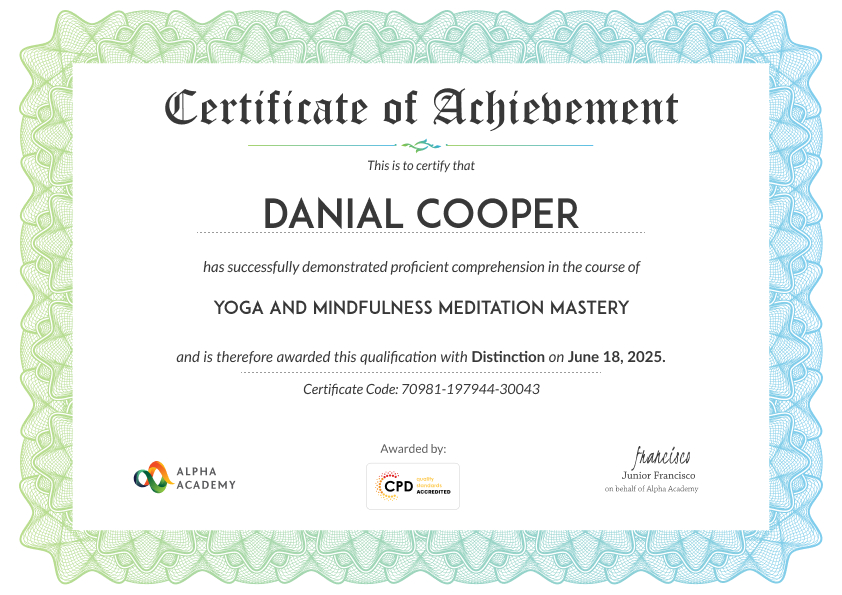
At the end of the course, you will be required to sit an online multiple-choice test. After successfully completing the final test, you will get a CPD-accredited Certificate of Achievement. The PDF Certificate is priced at £9.99 and will be emailed to you immediately. Also, a printed hardcopy certificate can be purchased for £17.99 and will be sent to your address by post.
Reviews From Our learners
Frequently Asked Questions
You’ll learn how to compare two Excel datasets to identify missing records, duplicates, mismatched values, and data changes quickly using a VBA-powered comparison tool.
Yes. The course focuses on using the VBA tool rather than writing code from scratch, making it accessible to Excel users with little or no VBA experience.
Yes. The methods taught are ideal for comparing sales reports, inventory lists, customer databases, financial records, and other business datasets.
Yes. The course demonstrates how VBA can automate manual comparison processes, helping you save time and reduce the risk of human error.
The course is designed for desktop versions of Microsoft Excel that support VBA and macros. Basic familiarity with Excel worksheets is helpful.
It’s well suited to data analysts, accountants, office administrators, finance professionals, auditors, and anyone who regularly compares large Excel datasets.

 TAKE
ALL
COURSES FOR £49
TAKE
ALL
COURSES FOR £49